Short videos for your business.
Without editing a thing.
You're already filming your shop. RawCut turns it into posts.
You're the owner, the shop floor and the marketing department, and the evening is for the books. RawCut takes the clips already on your iPhone and cuts a short video for Instagram Reels, TikTok and YouTube Shorts while you serve the next customer. Type one line. That's the whole job.
 Free to try · iOS 15+
Your customers don't want an ad. They want to see your shop.
The fresh bread at 7am. The haircut that came out great. The new stock on the shelf. That's what makes people walk in, and it's already on your phone, scattered across weeks of clips. RawCut reads every clip once, finds the seconds that fit what you want to say, and cuts them into a video. No timeline, no stock footage, nothing made up.
Posting more is on your list. It never gets done.
Full camera roll, empty feed
You film good moments every week. Turning them into a post is the step that never fits in the day.
You're running a business
Editing apps want an evening and a skill you never needed. An agency wants a monthly fee.
A generic shop isn't your shop
People recognize stock in a second, and they scroll. Your own counter and your own hands stop them.
From camera roll to post in three steps.
A few minutes, on the phone already in your pocket.
Add your clips
Tap Add my last 5 videos, or pick them yourself. RawCut reads each one once: what is in the frame, what is said, how steady it is.
Type one line
Say what it's about. No idea what to post? RawCut suggests ideas from what's actually in your clips.
Post it
A vertical video of 15, 30 or 60 seconds. Swap a shot or add captions if you like, then post it on Instagram, TikTok or YouTube.
Your line in. Your moments out.

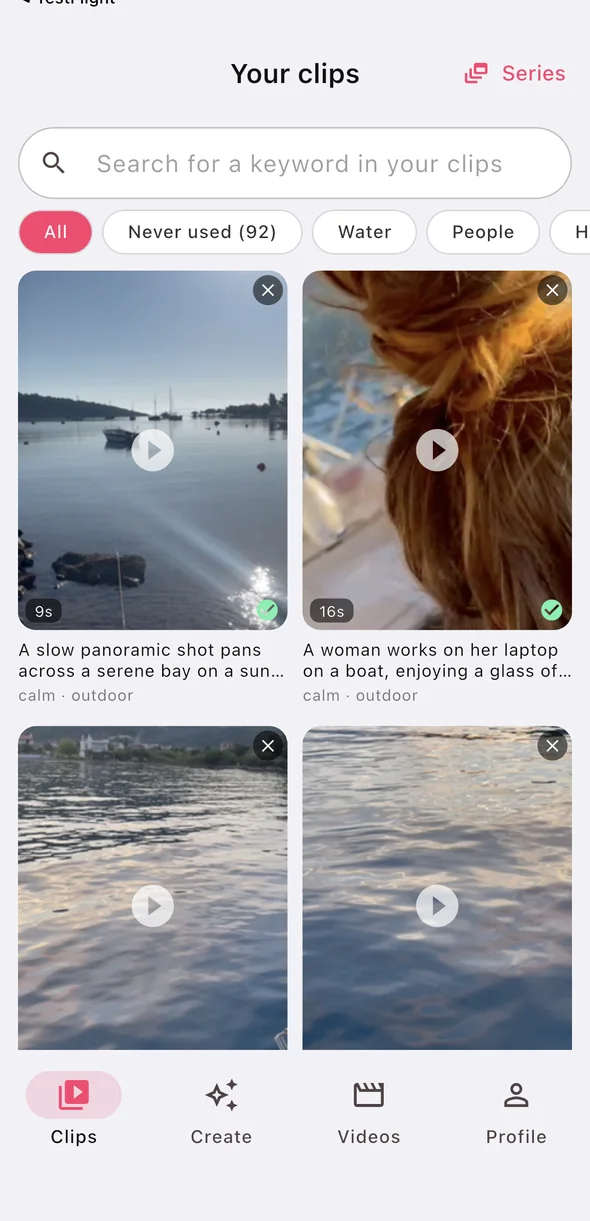
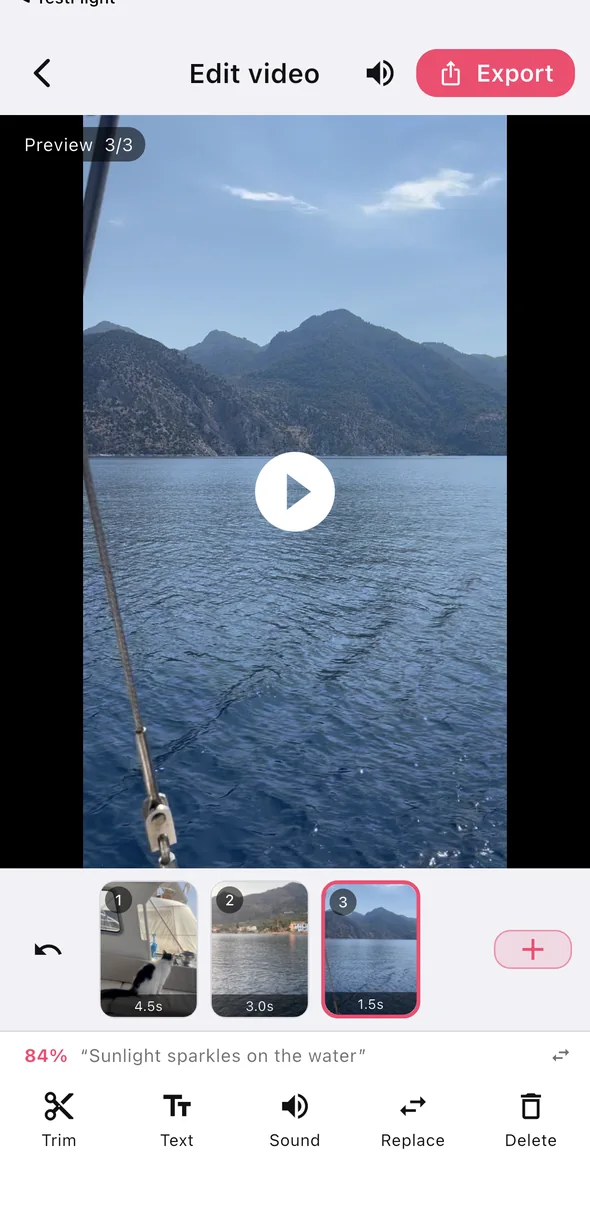
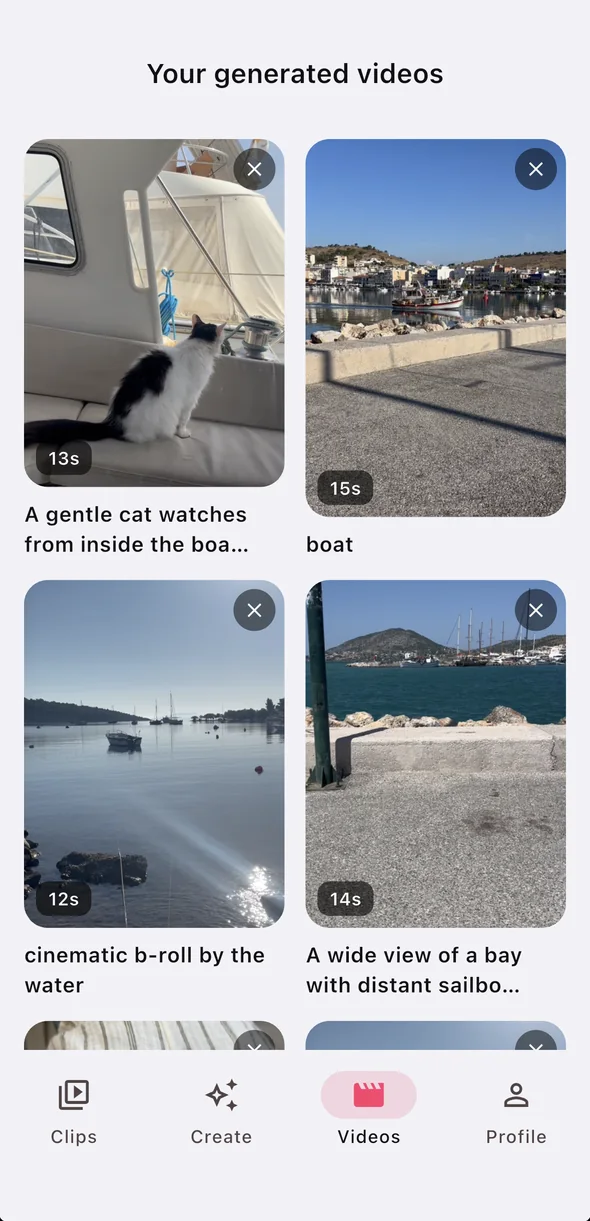
- Only your own footage
- No stock, nothing generated
- If nothing fits, it tells you
Never stare at an empty post again.
Six videos that work for almost any shop. Each one is a single line in RawCut.
Opening time
Door, lights, first coffee, first customer. The 'come on in' video.
New in store
The new menu, the new collection, what just hit the shelf. A reason to drop by.
How it's made
Hands only, start to finish. The video people watch twice and share.
The transformation
A haircut, a bouquet, a repair. The result sells itself.
Behind the scenes
Prep, packing, closing up. The part customers never see and always like.
A thank-you
The faces and moments your regulars know. The post that gets the comments.
No shoot needed. Just keep your phone close for a day.
Five to ten seconds of each, whenever it happens. Hold the shot a beat longer than feels natural.
Opening up
The door, the lights, the sign, the first coffee.
Hands at work
Kneading, cutting, pouring, wrapping, arranging.
The product up close
Steam, texture, colour, the finished thing on the counter.
The space
One wide shot of the room, one of the window, one from the street.
A customer moment
A hand taking a bag, a cup handed over. Ask first if a face is in it.
Steady beats pretty
A calm eight-second clip gives RawCut several moments to choose from.
What RawCut does, and what it doesn't.
RawCut does
- Cut short vertical videos from your own clips
- Find the moments that fit one line
- Add captions from what is said
- Tell you when no clip fits a line
RawCut doesn't
- Add stock footage or generate video
- Supply music
- Post for you
- Blur faces or ask customers for consent
Your first videos are on us.
Make them, export them, post them. Then decide.
Free
- Add clips and make finished videos
- Vertical 9:16, 15, 30 or 60 seconds
- Trim, swap shots, captions
- Exports carry a small RawCut mark
Pro
- A much larger monthly allowance
- Longer clips
- No watermark
- Cancel any time in Settings
The current price is shown in the App Store and in the app before you buy. More about pricing.
Before you download.
How do I make short videos for my small business without editing skills?
Add the clips you already filmed to RawCut, type one line about what you want to say, and the app picks the moments that fit and cuts a vertical video of 15, 30 or 60 seconds. You can adjust it, but you never need a timeline.
What should a small business film for short videos?
Short, steady clips of a normal working day: opening up, hands at work, the product up close, the space, and a customer moment if they agree to it. Five to ten seconds each is enough.
Does RawCut use stock footage or AI-generated video?
No. RawCut only cuts from clips you filmed yourself. It does not add stock footage, generate video or supply music.
Can RawCut post to Instagram or TikTok for my business?
No. You export the video to Photos and post it on Instagram, TikTok or YouTube yourself, the way you normally would.
Is the app in English?
Yes, the app itself is in English. Searching your clips also works in your own language.
More: Instagram Reels from your iPhone videos · Footage you never edited · Property videos for real estate agents
Your shop is already on camera.
Make your first video before closing time. It's free.