From script to TikTok.
Without the editing.
The AI video editor for your own footage
Your camera roll is full of moments you never edited. RawCut turns them into a video ready to post. No stock, nothing generated.
 Free to try · iOS 15+
One raw clip holds a dozen moments. RawCut can see them.
You film a two-minute walk and it has the sunrise, the coffee, the good line you said halfway through. A folder of video files cannot tell you any of that. RawCut reads what is inside every clip, the scenes, the moments and the words, so the line you write lands on the right seconds instead of the whole file.
For creators who post on TikTok, Reels and Shorts.
Content creators
Shot it today, posted today.
Vloggers
A day of random clips, cut into one video.
Travelers
One line about the trip. The recap is done.
A finished video, ready to post.
A ready-to-post video
One line in, a finished vertical video out.
Only your own footage
No stock, no AI filler. Only what you filmed.
Captions, automatically
Word-by-word captions in one tap.
A script when you have none
Stuck? RawCut writes one from your clips.
A library you can search
Find any moment by what happens or what was said.
Several posts from one shoot
New line, new video, same footage.
Three steps to a finished video.
Add your clips
Pick them from your Photos once. Your whole library stays ready for every video you make after that.
Write your script
One line per moment, or just a theme like “coffee.” RawCut reads it as intent, not keywords.
Get your video
The matching moments are cut into a 9:16 video, in order. Trim, add text, turn on captions, and export for TikTok or Reels.
Your line in. Your moments out.
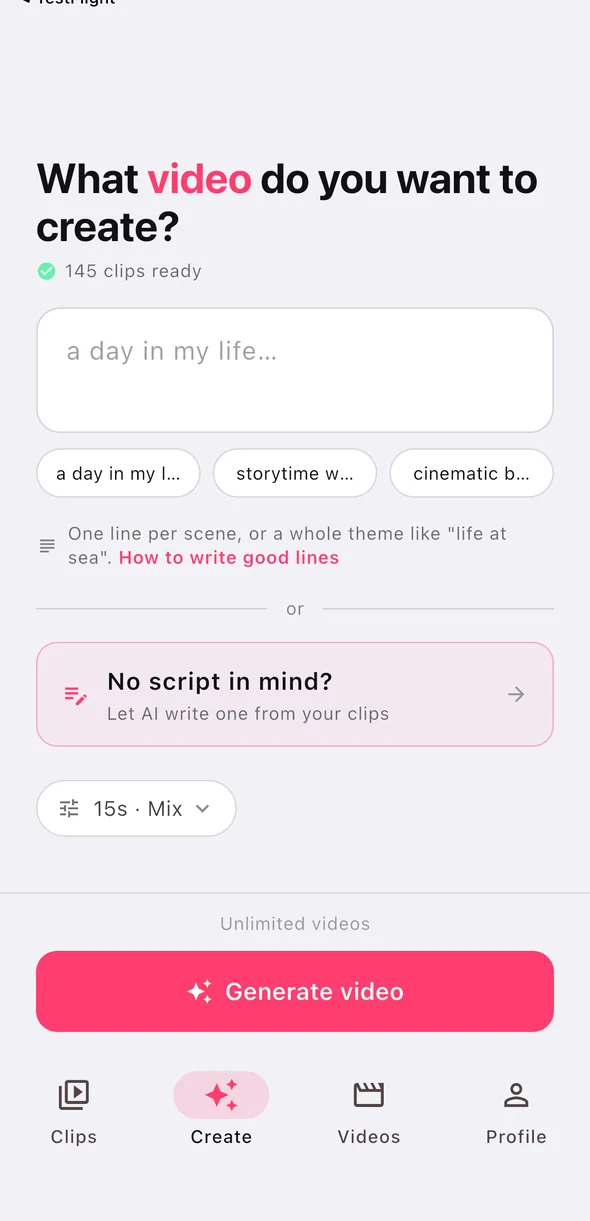
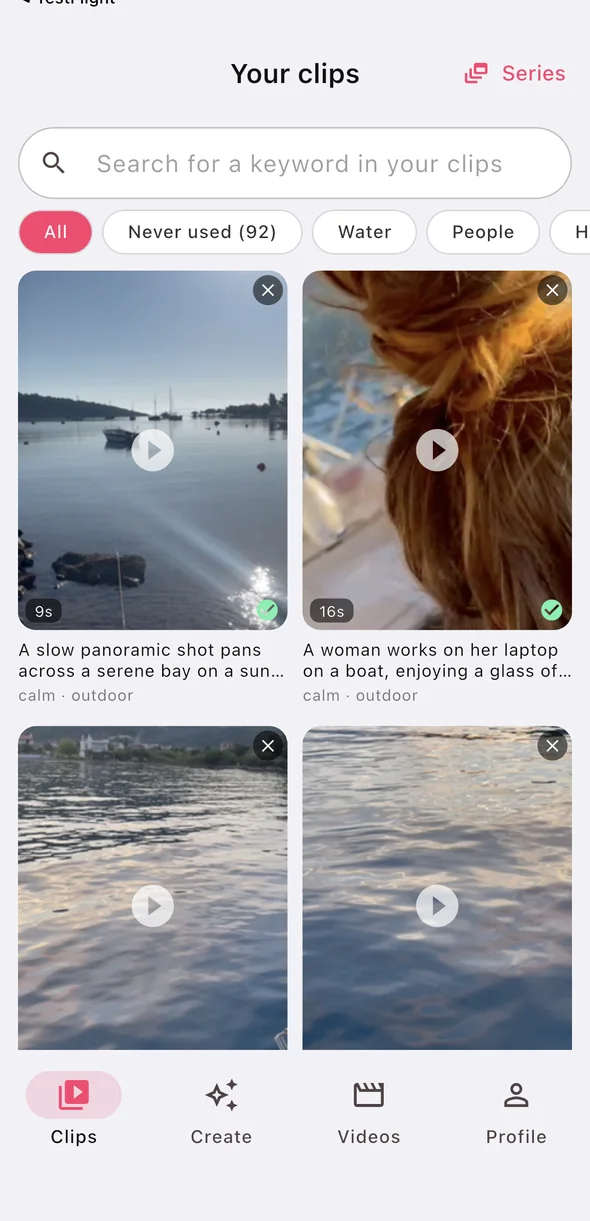
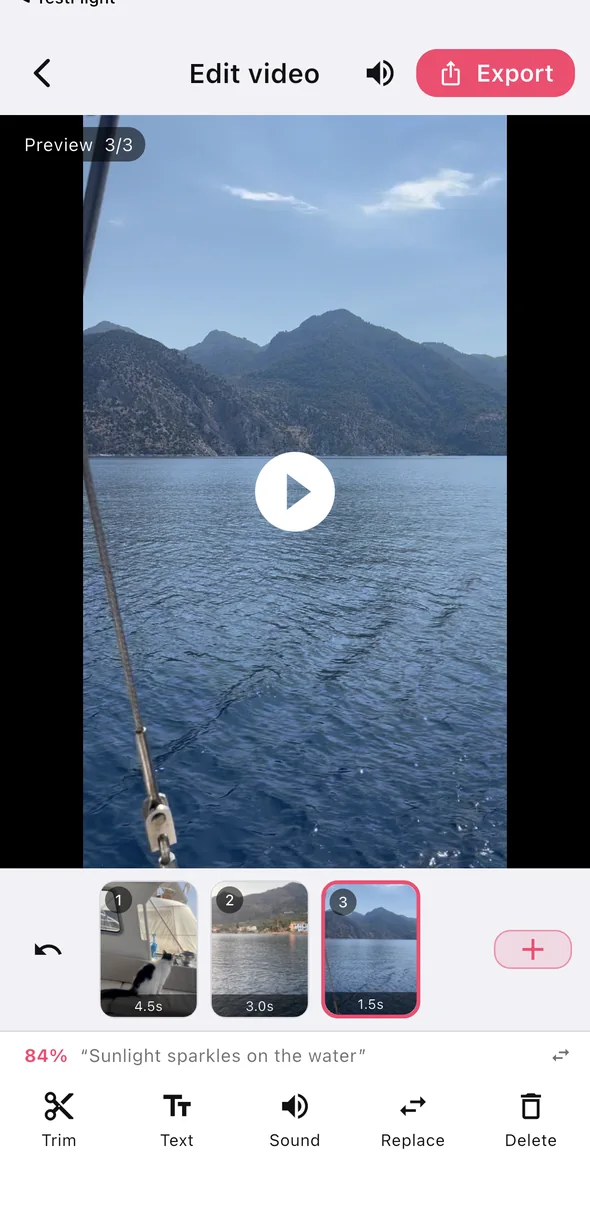
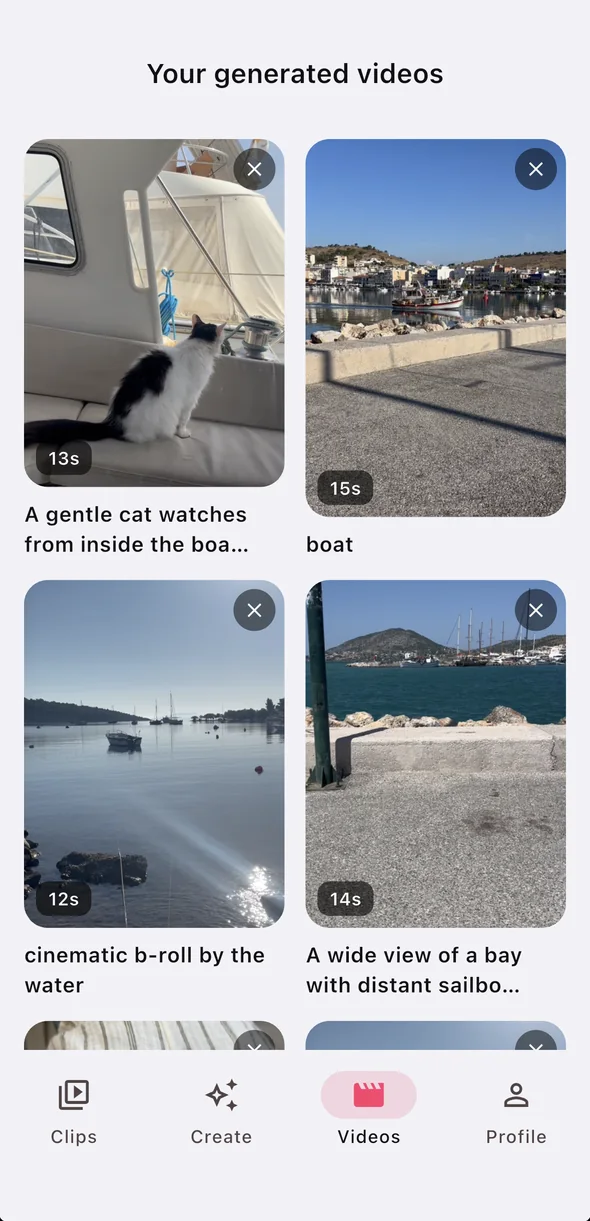
- Only your own footage
- No stock, nothing generated
- If nothing fits, it tells you
What the first users say.
Finds my favorite cuts from my clips
Two ratings so far, both five stars, both in the Dutch App Store. RawCut is new, so this is an honest picture rather than a wall of quotes. See the Dutch listing.
Start with a line like one of these.
Each theme below is a single line. Write your own and RawCut finds the moments in your footage that answer it.
Vlog-style days
The coffee, the walk, the desk, the evening. Scattered across thirty clips you filmed without a plan.
Faceless b-roll
Lines about a place, a mood or an object are cut from footage without faces, so you don't filter clips by hand.
Listicles and hooks
One line per beat. Each line gets the moment that answers it, in the order you wrote them.
Trips and events
A weekend produces two hundred clips and usually zero videos. This is the one job where the backlog is the whole problem.
Talking moments
What is said in your clips is read too, so the line you got right on the third take is findable. Sentences are kept whole.
Small business posts
The making, the packing, the room at 7am. Footage you already shoot on your phone and never turn into anything.
Generated video looks like everyone else's.
No stock. No AI-generated filler.
RawCut only cuts from clips you filmed. It does not generate video and it does not substitute a stock library. Footage you shot is the one thing that cannot be duplicated: the weather that day, your street, your hands.
It tells you when it can't
If nothing in your library fits a line you wrote, it says so instead of filling the gap with something that nearly fits. A cut you can trust is worth more than one that always succeeds.
Your library gets better, not bigger
Each clip is read once and then reused by every video you make afterwards. The app is more useful in month three than on day one, which is the opposite of how a folder of footage behaves.
What it is not
Not a general-purpose timeline editor, and not an AI video generator. If you want frame-by-frame control or footage you did not film, this is the wrong tool, and we would rather say so here than after you have downloaded it.
Not a generator. Not a timeline.
Most AI video tools either invent footage or hand you an editor. RawCut does neither.
| RawCut | AI video generators | Timeline editors | |
|---|---|---|---|
| Where the footage comes from | Clips you filmed | Generated or stock | Clips you filmed |
| What you do | Write a line | Write a prompt | Drag and trim |
| Finds moments inside a clip | Yes, by seconds | No footage to search | You scrub for them |
| Searchable by what is said | Yes | No | Rarely |
| When nothing fits | It tells you | Invents something | You find out yourself |
| Time to a first cut | Minutes | Minutes | An evening |
Wondering about CapCut specifically? Here's how the two fit together.
Try it properly before you pay.
Complete videos, exported, not a preview you cannot keep.
Free
- Add clips and make finished videos
- Export vertical 9:16
- Full editor: trim, replace, captions
- Exports carry a small RawCut mark
Pro
- Unlimited videos and clips
- More clip analyses every month
- No watermark
- Cancel any time in Settings
The current price is shown in the App Store and in the app before you buy. More about pricing.
Guides to making videos from your own clips.
Make a video from your own clips
Turn the clips already on your iPhone into a finished video, no timeline.
Script to video with your own footage
Write a few lines, get a cut from footage you actually filmed.
Make an Instagram Reel from your iPhone videos
Structure, hooks, captions and music for Reels.
Faceless videos from your own footage
B-roll content without stock clips or AI video.
What to do with footage you never edited
Turn a camera-roll backlog into posts.
Find a moment in hours of footage
Search your clips by what happens or what was said.
Automatic word-by-word captions
What you say in your clips becomes timed captions, in a couple of taps.
Video ideas from your own clips
No idea what to post? Get ideas written from your footage.
Turn a timed script into a video
Paste a 0-3s, 3-7s script and get it cut to the second.
Edit a talking video, keep sentences whole
Long pauses and quick restarts out, sentences kept whole.
Editor's cut: pacing in one tap
Rhythm, a moving opener and matched light, without a timeline.
Short videos for small businesses
From the clips of a normal working day to a post, no editing skills.
Property videos for real estate agents
Walk the house, write one line per room, get a listing video.
Car videos without editing
Dirty, foam, shine: one line per stage, a before-and-after reel.
Salon videos without editing
Prep, work, reveal: one line per step, a video for every client.
Tattoo shop videos without editing
Stencil, line work, finished piece: a video for every tattoo.
Restaurant videos without editing
The pan, the plate, the room: tonight's special online before service.
Product videos for shops without editing
Unbox it, turn it, pack it: a video for every new arrival.
Dental videos without editing
The room, the team, a few whole sentences: the tour a new patient wants.
Gym and personal trainer videos without editing
The bar, the rep, the cue: this morning's session, posted today.
How to choose a camera-roll video app
Six questions to ask before you pick one.
RawCut and CapCut
Two different jobs, and how to use both.
RawCut and Roll
Your words or a template: what each one is for, and what they cost.
Before you download.
Does RawCut use stock footage or AI-generated video?
No. RawCut only cuts from clips you filmed yourself. It does not generate video and it does not substitute stock library footage. If no clip fits a line you wrote, it tells you instead of filling the gap.
Do I need to write a proper script?
No. One line is enough: a theme like "my morning routine" works. Write one line per scene only if you want a specific order.
How many clips do I need?
A handful gets you a video; a bigger library gets you a better one, because there is more to choose from. Variety of setting matters more than the quality of any single shot.
Is RawCut free?
There is a free tier you can finish and export real videos on, plus RawCut Pro with unlimited videos and clips (fair use). See pricing.
Is there an Android version of RawCut?
Not yet. RawCut is iPhone only, on iOS 15 or later.
Can I edit the cut afterwards?
Yes: trim, reorder, replace a clip, mute one, add on-screen text, or ask for another cut from the same footage. It is light editing, not a full timeline.
Your camera roll is already the hard part.
The footage exists. This is the evening you were going to spend editing it.