RawCut press kit
Everything you need to write about RawCut. All images on this page are free to use in coverage of the app. Want to try Pro, ask a question or set up an interview? Email us.
In one sentence
RawCut is an iPhone app that cuts a finished TikTok, Reel or Short from the clips already in your camera roll: you type what the video is about, and it finds the matching moments in your own footage.
In one paragraph
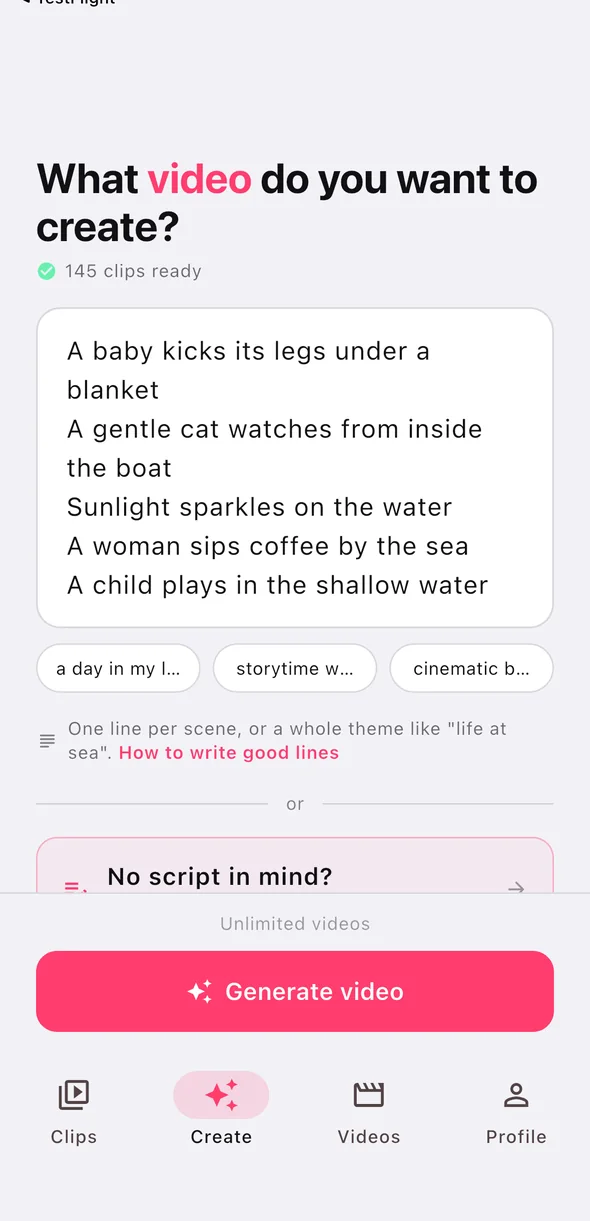
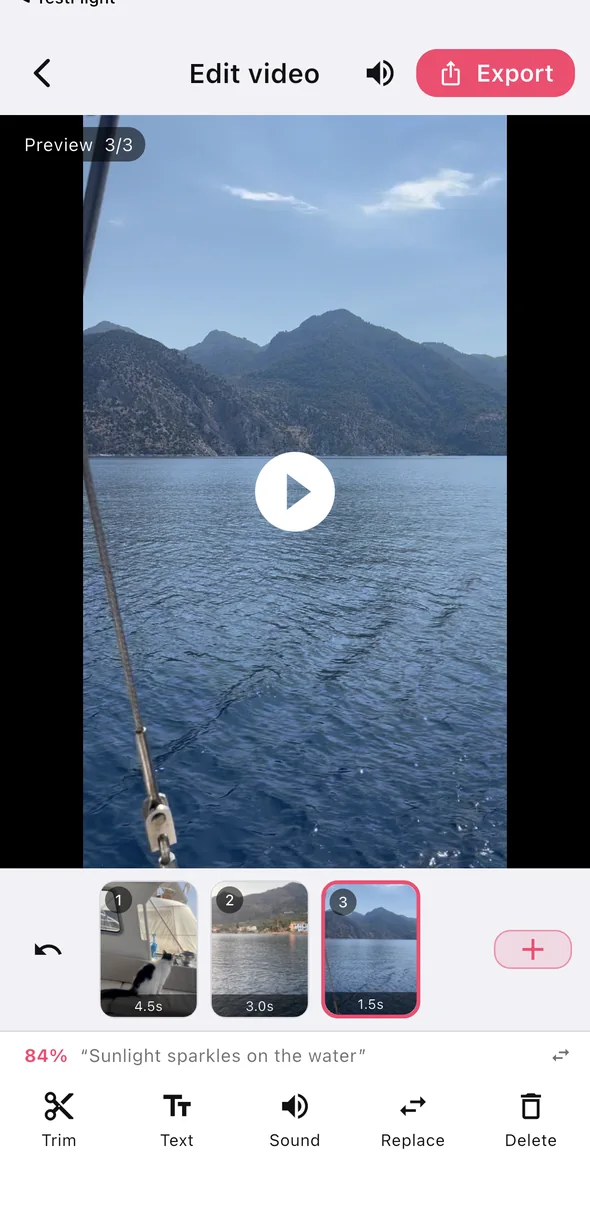
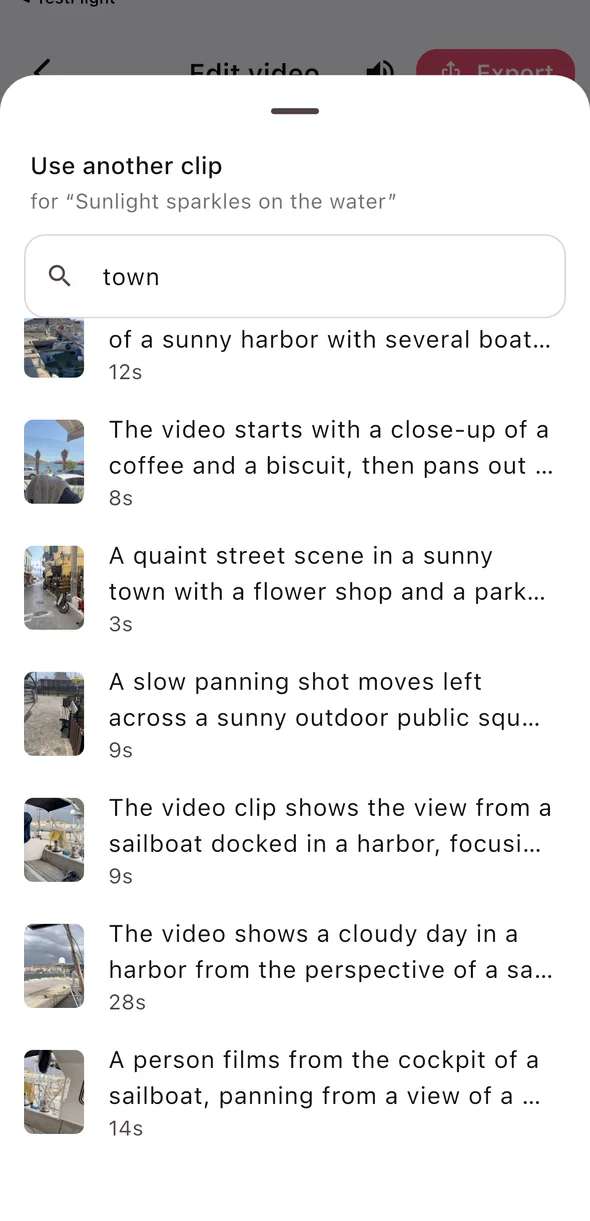
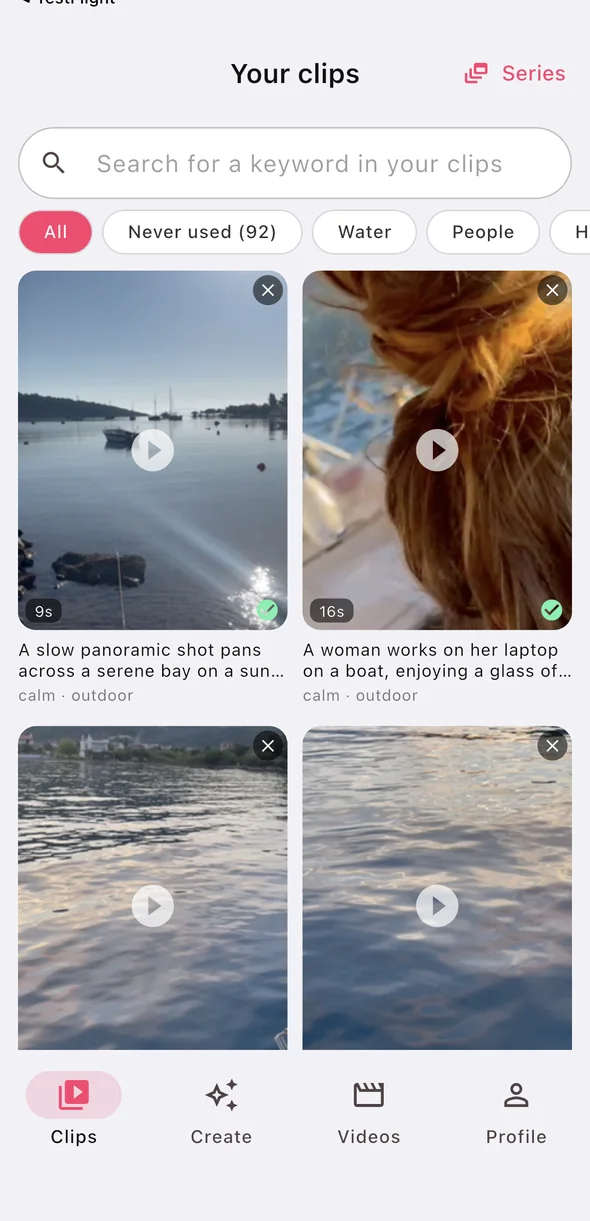
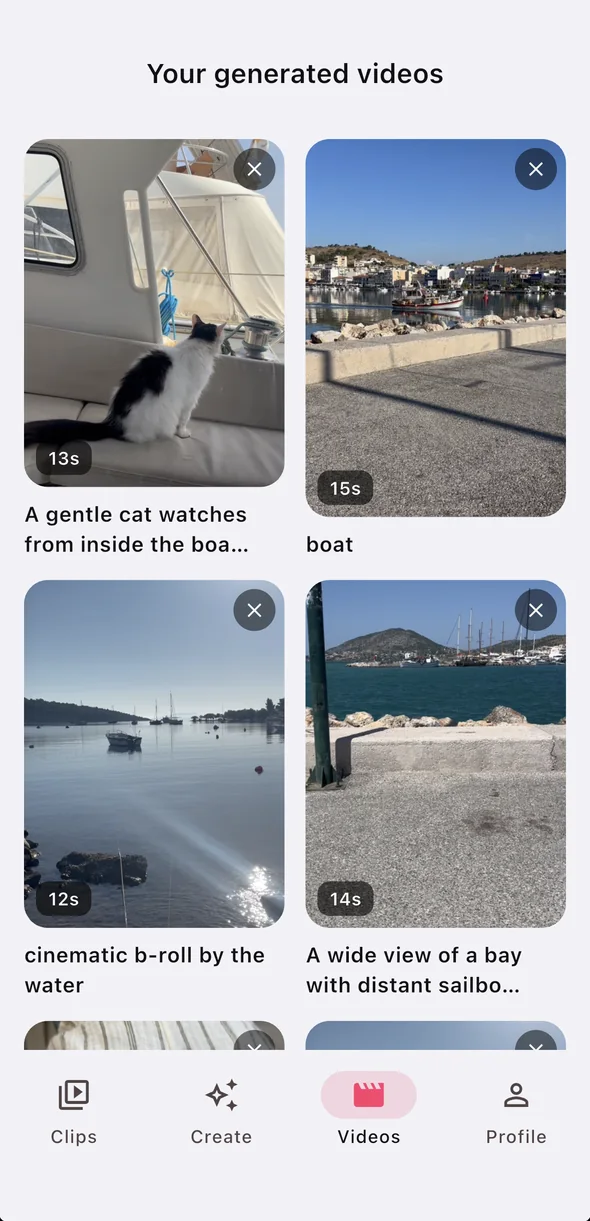
One raw clip holds a dozen moments, but your camera roll only shows you its first frame. The best shot is often somewhere in the middle of a two-minute clip, and it is forgotten because nobody scrubs back through it. RawCut watches all of it. You add clips from your camera roll and write a line or two about the video you want. The app reads what happens in each clip, picks the moments that match each line and assembles a vertical 9:16 video, which you can trim, reorder and caption before saving or sharing. It uses no stock footage and generates no video: every frame is something you filmed. When no clip fits a line, RawCut says so instead of filling the gap.
Facts
- App
- RawCut: AI Video Editor
- Made by
- Odette, an independent developer in the Netherlands
- Platform
- iPhone, iOS 15 or later
- Category
- Photo & Video
- Price
- Free to try, with an optional monthly Pro subscription. The current price is shown on the App Store listing.
- App language
- English
- Website
- rawcutapp.com
- Contact
- my.lyf.app@gmail.com
What makes it different
- Only your own footage. No stock clips, no generated video, no avatars.
- Script first. You describe the video in words; the app finds the shots. No timeline to drag.
- Honest when it cannot. A line with no matching clip is flagged, not faked.
- A first cut, not a full editor. It gets you from a full camera roll to a postable video in minutes; light editing does the rest.
Privacy, briefly
Your video files stay on your iPhone. To know what is in a clip, the app sends still frames and the audio of each clip to an AI model once; the result is stored so it never has to be sent again. There are no ads. The details are in the privacy policy.
Screenshots
Tap an image to download it.
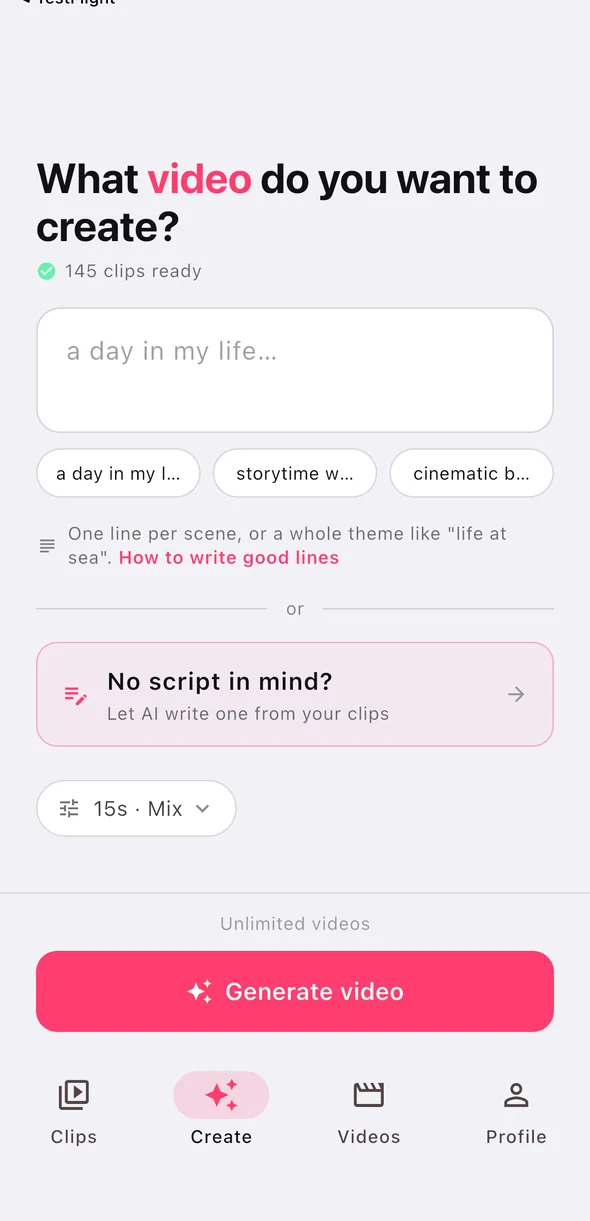
Icon


Try Pro
Journalists and creators can get a free Pro code to test the app without limits. Ask for one and mention where you plan to write about it.
Press release (English)
Free to use, in whole or in part. The quote may be used verbatim. A Dutch version follows below.
RawCut cuts videos straight out of an iPhone camera roll
The iPhone app RawCut turns the videos already on a phone into a finished vertical video for Reels, TikTok and Shorts. The app was made by Dutch developer Odette and works from a written line instead of a timeline.
RawCut starts from a problem most iPhone owners recognise. The camera roll shows only the first frame of every video, while the shot worth using usually sits somewhere in the middle of a clip. People who do not scrub back through their own recordings forget that shot, so the footage goes unused, even by those who film regularly.
The app watches each clip from beginning to end. Someone picks videos from their camera roll and writes, in a few words, what the video is about. RawCut reads what happens in the clips, finds the seconds that match that description and puts them one after another as a 9:16 video. The shots can then be trimmed, reordered and captioned.
Unlike many AI video apps, RawCut adds no footage of its own. It uses no stock clips and generates no video: every frame comes from the user's own recordings. When no clip fits a written line, the app says so rather than filling the gap with something else.
"In your camera roll a two-minute clip is one thumbnail, while the best moment is often twenty seconds in. Most people have had the footage for a good video all along. What they lack is the evening it takes to watch it back. That is the part RawCut takes over."
Odette, maker of RawCut
RawCut is free to download and free to try. People who post regularly can take a Pro subscription, which raises the monthly allowance and removes the watermark. The app needs an iPhone running iOS 15 or later and sits in the Photo & Video category. Video files stay on the device; to work out what happens in a clip, still frames and the audio are analysed once by an AI model.
About RawCut
RawCut is an independently made iPhone app built around the footage people already have. It is developed and maintained by one person, Odette, in the Netherlands. More at rawcutapp.com.
Notes for editors
- Contact: my.lyf.app@gmail.com
- The screenshots and app icon above are free to use.
- A free Pro code for testing is available on request.
- Available for interviews, by phone or in person.
In het kort (Nederlands)
RawCut is een Nederlandse iPhone-app die van de clips in je camerarol een kant-en-klare verticale video maakt voor Reels, TikTok of Shorts. In je camerarol zie je van elke clip alleen het eerste beeld; het mooiste moment zit vaak halverwege en raakt vergeten. RawCut bekijkt je clips helemaal. Je typt waar de video over gaat, en de app zoekt de passende momenten in je eigen beelden en knipt ze aan elkaar. Geen stockbeelden en geen door AI verzonnen beelden. Gemaakt door Odette, een onafhankelijke ontwikkelaar uit Nederland. Gratis te proberen, met een optioneel Pro-abonnement. Vragen of een Pro-code voor een review? Mail naar my.lyf.app@gmail.com.
Persbericht (Nederlands)
Vrij over te nemen, geheel of in delen. Het citaat mag letterlijk worden gebruikt.
Nederlandse app RawCut knipt automatisch video's uit de camerarol van een iPhone
De iPhone-app RawCut maakt van video's die al op een telefoon staan automatisch een kant-en-klare verticale video voor Reels, TikTok en Shorts. De app is gemaakt door de Nederlandse ontwikkelaar Odette en werkt met een geschreven aanwijzing in plaats van een tijdlijn.
RawCut vertrekt bij een probleem dat vrijwel elke iPhone-gebruiker herkent. De camerarol toont van elke video alleen het eerste beeld, terwijl het bruikbare moment meestal ergens in het midden van een clip zit. Wie niet door zijn eigen opnames terugscrolt, vergeet dat beeld. Daardoor blijft beeldmateriaal ongebruikt, ook bij mensen die regelmatig filmen.
De app kijkt elke clip in zijn geheel af. De gebruiker kiest video's uit de camerarol en typt in enkele woorden waar de video over gaat. RawCut analyseert wat er in de clips gebeurt, zoekt de seconden die bij die beschrijving passen en zet ze achter elkaar tot een video in 9:16. De fragmenten zijn daarna nog in te korten, te verslepen en van tekst te voorzien.
Anders dan veel AI-video-apps voegt RawCut geen beeldmateriaal toe. Er worden geen stockbeelden gebruikt en er wordt geen video gegenereerd: elk beeld komt uit de opnames van de gebruiker zelf. Past geen enkele clip bij een geschreven regel, dan meldt de app dat, in plaats van het gat met ander materiaal te vullen.
"In je camerarol zie je van een filmpje van twee minuten alleen het eerste beeld, terwijl het mooiste moment vaak na twintig seconden komt. De meeste mensen hebben het materiaal voor een goede video allang. Wat ze missen is de avond om het terug te kijken. Dat stuk werk neemt RawCut over."
Odette, maker van RawCut
RawCut is gratis te downloaden en gratis te proberen. Wie vaker publiceert kan een Pro-abonnement nemen, met een ruimere maandelijkse limiet en zonder watermerk. De app vraagt een iPhone met iOS 15 of nieuwer en valt in de categorie Foto en video. De videobestanden blijven op het toestel staan; om vast te stellen wat er in een clip gebeurt, worden eenmalig losse beelden en het geluid door een AI-model geanalyseerd.
Over RawCut
RawCut is een onafhankelijk gemaakte iPhone-app die uitgaat van het beeldmateriaal dat mensen zelf al hebben. De app wordt ontwikkeld en onderhouden door één persoon, Odette, in Nederland. Meer informatie staat op rawcutapp.com.
Noot voor de redactie
- Contact: my.lyf.app@gmail.com
- Screenshots en het app-icoon staan hierboven op deze pagina en zijn vrij te gebruiken.
- Een gratis Pro-code voor een test is op aanvraag beschikbaar.
- Beschikbaar voor een interview, telefonisch of op locatie.